

Owning a Vehicle
You can own up to 3 vehicles by default. Your current count is shown in the/v menu as (owned/limit).
Each vehicle tracks:
| Stat | Details |
|---|---|
| Fuel | 0-100. Starts at 20L on purchase. Decreases with speed. |
| Mileage | Odometer in km. Increases while driving with engine on. |
| Engine Health | 0-1000. Below 250 the engine won’t start. |
| Body Health | 0-1000. Visual damage tracked separately from engine. |
| Insurance Points | Starts at 5. Lose 1 each time the vehicle is destroyed. |
| Insurance Price | Starts at $500. Increases by 50% on each destruction. |
Vehicle Management (/v)
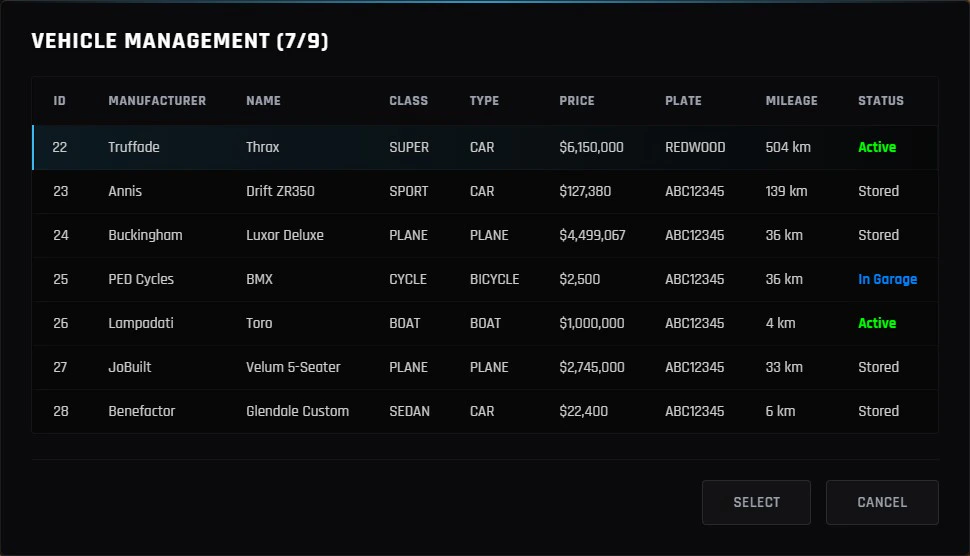
Open /v or /vehicles to manage all your owned vehicles. Each vehicle shows its current status:
Active
The vehicle is currently spawned in the world.
Stored
Parked somewhere on the map. Can be towed to its last position.
In Garage
Stored inside a house garage. Must be removed from the garage first.
Impounded
Seized. Pay the insurance fee at the impound to recover it.
- Tow - spawn the vehicle at its last saved position
- Despawn - save and remove it from the world
- Locate - get a GPS blip to where it’s parked
- Change Plate - set a custom license plate (1-8 chars, A-Z / 0-9)
- Sell - permanently sell it back to the dealership for 60% of its original price
Parking (/park)
While sitting in the driver seat, use /park to save the vehicle’s current position and remove it from the world. It will stay at that location until you tow it again via /v.
Requirements:
- You must be the driver
- You must be in the main world (not an interior or arena)
- The vehicle must be yours
Fuel
Fuel decreases while the engine is running. Speed affects consumption - highway driving burns more than idling.- When fuel hits 0, the engine cuts out
- Bicycles, boats, helicopters, planes, and job vehicles do not consume fuel
- Refuel at any gas station
Engine & Body Condition
Engine health degrades from collisions and damage. Once it drops below 250, the engine can no longer be started. At 0, the vehicle is at risk of explosion. Visit Los Santos Customs to repair engine and body damage.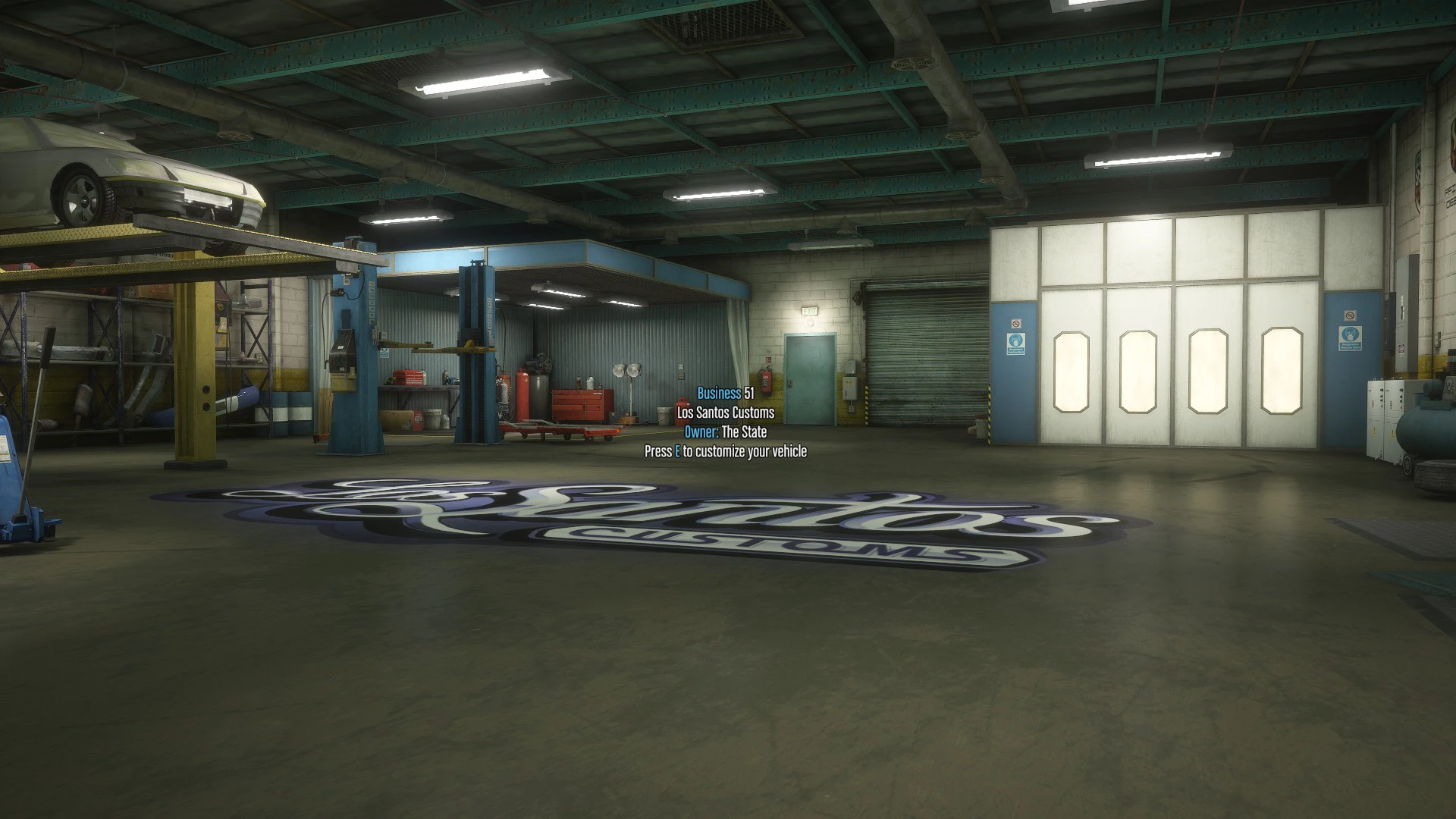
Insurance
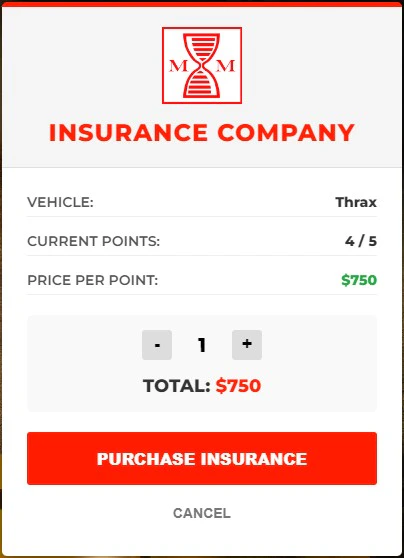
Every vehicle has insurance points (starting at 5). Each time your vehicle is destroyed, you lose 1 point and the insurance price goes up by 50%. If your vehicle is destroyed and you run out of insurance points, use/buyinsurance to purchase a new insurance point and get it back on the road.
The only way for a vehicle to get impounded is if a Tow Truck Company faction member tows it for illegal parking. This is a separate situation from insurance.
Locking
Press N to lock or unlock your vehicle. You can do this while inside or within 5 meters of it.- Locked vehicles can’t be entered by other players
- A notification confirms the state change
- Newly spawned vehicles always start locked
House Garage
Vehicles can be stored inside your own house garage, provided you own the house and it has the garage upgrade installed. Garage capacity depends on the upgrade tier:| Tier | Capacity |
|---|---|
| Basic | 2 vehicles |
| Standard | 6 vehicles |
| Large | 10 vehicles |
/v and cannot be towed, located, or sold until removed from the garage.
Oversized vehicles (Journey, Camper, Stretch, Patriot2, etc.) cannot be stored in house garages.
Keybinds
| Key | Action |
|---|---|
2 | Toggle engine on/off |
N | Toggle vehicle lock |
G | Enter as passenger (closest free seat) |
Numpad 2 | Toggle trunk |
Numpad 8 | Toggle hood |
Numpad 4 | Left indicator |
Numpad 6 | Right indicator |
Numpad 1 (tap) | Window down - driver or rear-left seat (context-sensitive) |
Numpad 1 (hold) | Window down - all left-side windows |
Numpad 7 (tap) | Window up - driver or rear-left seat |
Numpad 7 (hold) | Window up - all left-side windows |
Numpad 3 (tap) | Window down - passenger or rear-right seat |
Numpad 3 (hold) | Window down - all right-side windows |
Numpad 9 (tap) | Window up - passenger or rear-right seat |
Numpad 9 (hold) | Window up - all right-side windows |